Arrange your workspace
Arrange dashboard widgets to keep recent calls, chats and contacts within easy reach.

– Your interface · your environment
A dashboard built around your workflow, your company’s branding and settings that fit your infrastructure. MySoftphone adapts to your environment.
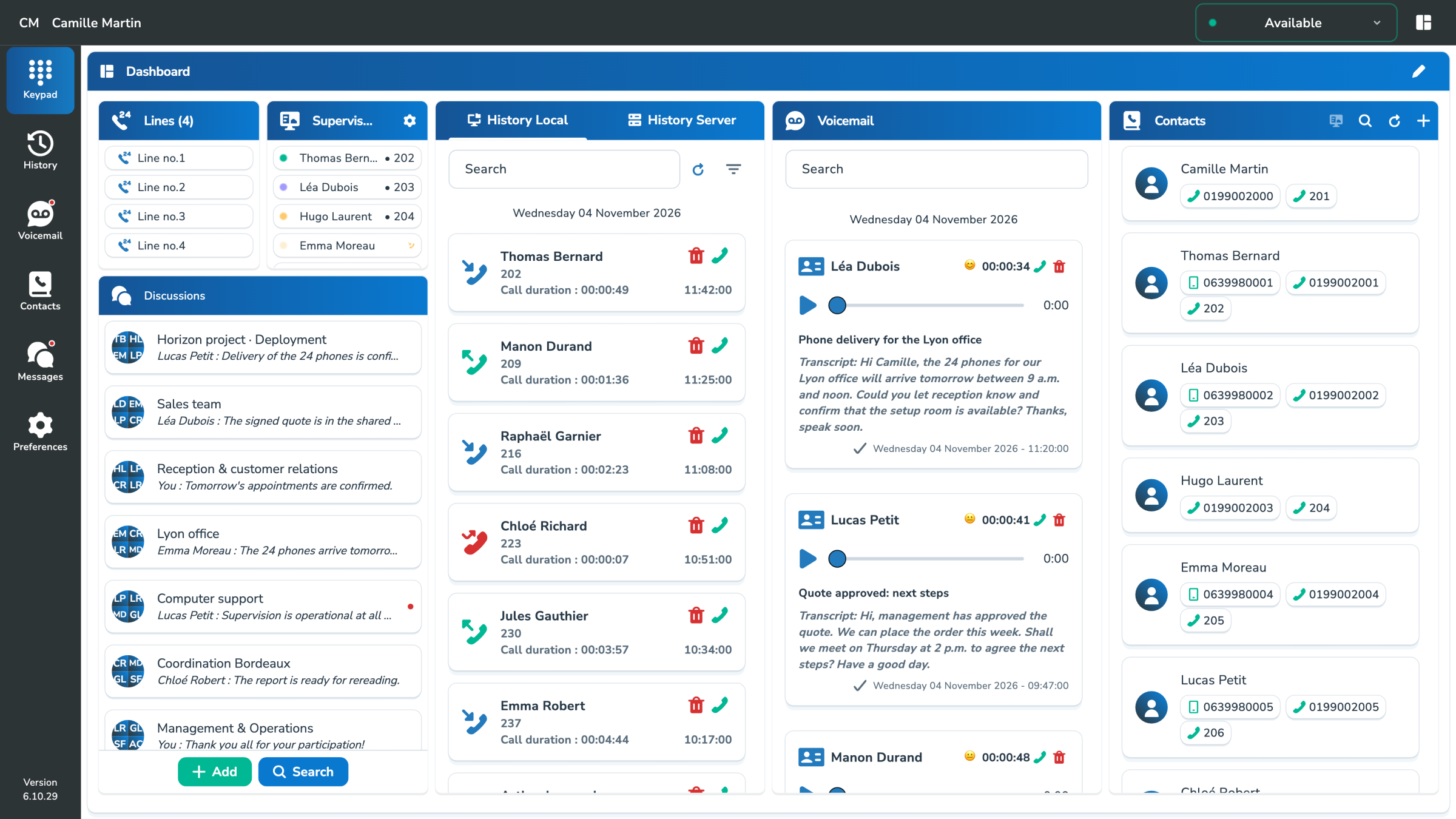
– Dashboard
Find the information you use daily in a customizable space, rather than multiplying windows.
Arrange dashboard widgets to keep recent calls, chats and contacts within easy reach.
BLF keys show availability and provide shortcuts to call, transfer or pick up calls, according to your permissions.
Keep lines, call history and voicemail together, so you can move from information to action.
– Your brand
Display your brand with the white-label option. Your company theme carries through the colors and interface settings defined in MyPBX.
Your company provides the theme and branding. The app applies them automatically, so each user doesn’t have to set them up again.
Deliver a consistent experience under your own brand.
Give every team member the same company identity.
Keep everyday actions clear and familiar.
– From account to first call
MyPBX provides the allowed parameters. The user then finds his services and organizes his workspace.
Use the sign-in method enabled for your environment: the standard login flow, a QR code or your company’s OpenID Connect identity provider.
Connection parameters, proposed functions and visual identity follow the configuration defined for the company.
Find your contacts, communications and available preferences. Arrange the dashboard to suit the way you work.
– Multiprotocols
On computer, MySoftphone supports native SIP/RTP and WebRTC telephony. The connection mode can be predefined by your PBX to keep a consistent configuration.
| Desktop mode | Signalling | Environment |
|---|---|---|
| Native SIP/RTP | SIP on UDP or TCP | Windows, macOS and Linux |
| WebRTC | WSS or TCP | Connection compatible with your PBX services |
Available modes and editable settings depend on the platform and choices of your phone environment.
– Useful settings
When these functions are offered by your PBX, your preferences allow you to adapt the management of your calls from MySoftphone.
Choose which linked devices ring and adjust their behavior within the options allowed for your account.
Set your availability, absences and the call forwarding rules allowed for your account.
Select the number to be presented from among those provided by the company.
– Windows · macOS · Linux · Android · iOS
Use MySoftphone on your working platforms. The update section provides the checks and instructions appropriate to your operating system.
– Operators & businesses
Platforms, sign-in, branding and team workflows: let’s plan the deployment that suits your business.