– Calls · chat · calendar

Calls, chat and calendar at your fingertips.

Your business line, conversations and appointments in one application. Make calls, collaborate and stay connected on desktop and mobile, with NatAChat alongside you in the chat.
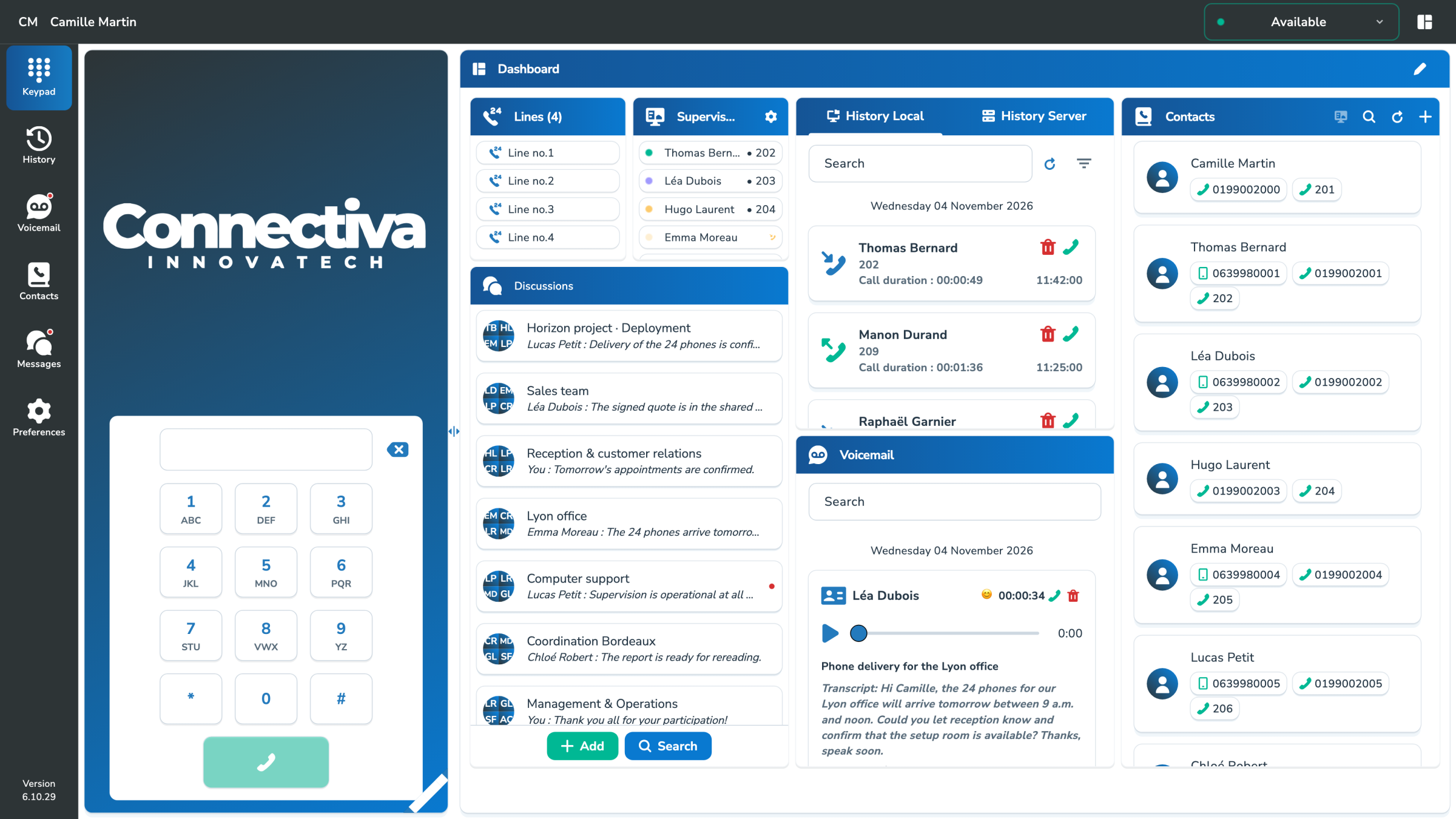
MySoftphone: home screen with keyboard and dashboard

– Multi-protocol · cross-platform

Across platforms. One familiar experience.

Find MySoftphone on Windows, macOS, Linux, Android and iOS, with familiar controls and an interface adapted to each screen. On a computer, native SIP/RTP connections and WebRTC enable you to integrate with your infrastructure.

Windows

macOS

Android

iOS

Desktop

Calls, chats, contacts and a customizable dashboard: everyday tools together in one workspace.

Mobile

Take your line, contacts, chats and calendar with you, with features tailored to Android and iOS.

Updates

Check for new versions and find the right update instructions or app store link in Preferences.

– NatAChat · In your chats

Have a question?
Ask NatAChat in the chat.

Open NatAChat in MySoftphone and ask your question naturally. Find the information you need for your communications without leaving your workspace.

  • Find a contact, call or voicemail.
  • Check appointments and search the conversations you’re authorized to access.
  • Take action from a reply: open a voicemail or call someone directly from the chat.

NatAChat uses only the information and tools your account is allowed to access. MySoftphone’s user assistant complements the technical agent in MyPBX.
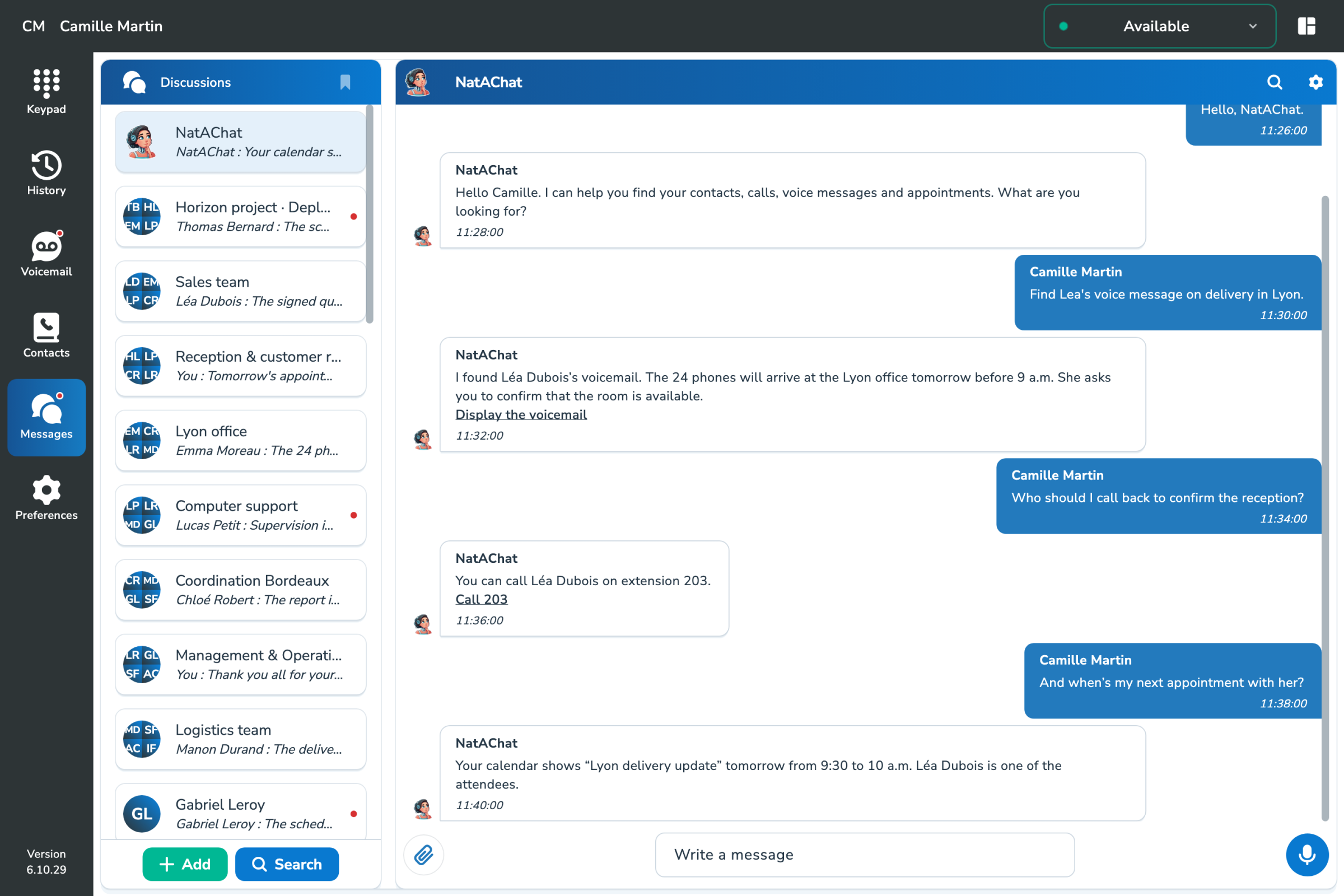
Discussion NatAChat in MySoftphone: find a voice message, call Léa Dubois and see the next appointment
Find a voicemail, call someone back or check an appointment, all through one conversation.

– Business model

Included in your plan. Ready for your brand.

MySoftphone is included free of charge in the Connectiva ecosystem. Use it as a full business extension, with no extra charge simply for choosing a softphone.

Operators, resellers and end customers can display their own logo through the white-label option. Branding follows the hierarchy, so each level can use its own identity while sharing the same application.

– Dashboard

A workspace that adapts to you

Recent calls, BLF, contacts, messaging, calendar or quick actions: the user chooses the information that must appear first.

Recent calls: Find conversations and pick up where you left off.

BLF : Check availability and take action in one click, according to your PBX permissions.

Contacts:Access the business directory and personal contacts.

Calendar : View appointments and share context with authorized status features or assistants.

– Intelligent voicemail

Understand a voicemail before you press play

Perceived mood

A perceived mood indicator highlights the message’s overall tone and helps your team prioritize sensitive requests.

Summary

The demand, context and expected action become immediately visible.

Transcript

Read, search and use the content without playing the audio.

Learn more about conversational AI Further information

– BLF presence monitoring

See who’s available at a glance.

BLF keys provide shortcuts to call, transfer or pick up calls, according to your PBX permissions.

Available

In call

Away or busy

Quick action according to context

– Contacts & privacy

Shared company contacts. Personal contacts stay private.

The common directory can cover several sites. Personal contacts remain available to their owner without being published in the company's directory.

Respecting your privacy: personal data does not automatically become shared data

– Continuity

Keep talking as you switch networks or devices.

With call continuity enabled, your linked devices can take over. Start a call on mobile and continue on a device supported by your environment, keeping your business identity.

Desktop

Start the call

Mobile

Keep talking on the move

SIM / eSIM

Switch networks

IP phone

Continue at your desk

Discover fixed-mobile continuity Further information

– Built-in chat

Keep the conversation going, even after the call.

Send a quick message, chat with your team or share a document. Keep the context of your conversations together in MySoftphone.
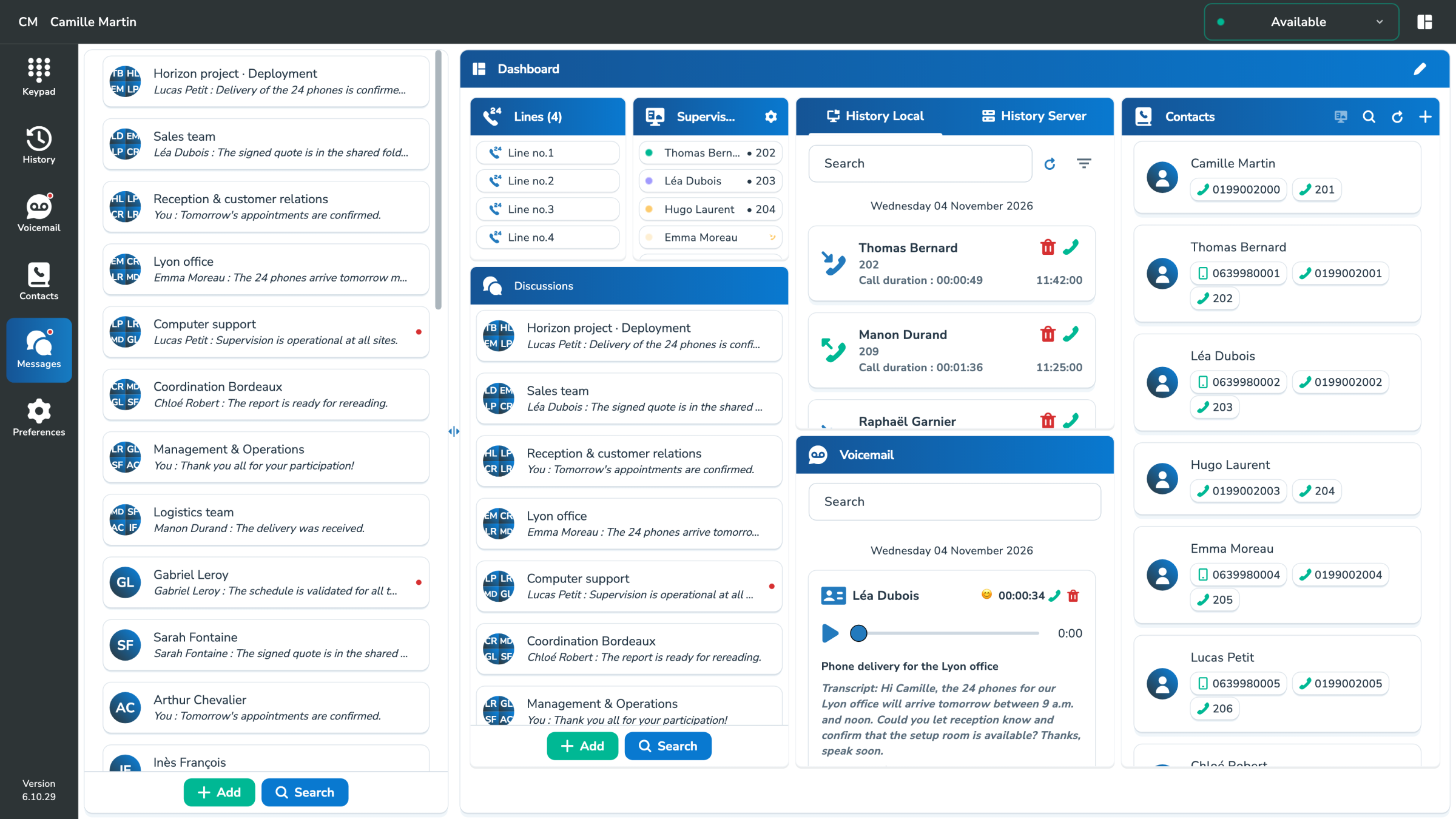
  • Chat one-to-one or in a group.
  • Share files, media and links.
  • Find shared content and move from message to call.
Explore collaboration
Individual and team discussions next to the dashboard MySoftphone

– Connected Calendars

Keep your availability in view.

MySoftphone synchronizes with Google Calendar, Microsoft Calendar and CalDAV compatible calendars to bring telephony closer to daily planning.

See your events and their details in the app. Your next appointments remain accessible next to your communications, with the authorized calendars in your environment.

The softphone at the heart of the ecosystem

MySoftphone brings together MyPBX, AI and fixed-mobile convergence: users, numbers, permissions, BLF, contacts, history, summaries, transcripts and call continuity across softphones, desk phones, SIMs and eSIMs.

The user thus regains his complete telephone environment in a consistent application, connected to all the services of the company.

Your calendar, in your communication space.

– In practice

Platforms, mobility and privacy: your questions answered

Does MySoftphone work without a desk phone?

Yes. Use it as your main phone on desktop or mobile, or alongside an IP phone, SIM or eSIM linked to the same account.

Are my personal contacts visible to the company?

No. Accessible via the application, they remain private and are not added to the shared directory.
However, it is possible to share private contact with the company.

Can I switch from a computer to a mobile phone during a call?

Yes. Transfer an ongoing call between your linked devices — computer, mobile or desk phone — and keep talking on the device you choose.

What does intelligent voicemail include?

Summary, transcription and perceived mood indicator, with rules of preservation and access defined by the company.

How does the application configure itself?

The account and settings come from MyPBX. A QR code can simplify the association when this path is enabled.