
– Drag and drop with NatAChat
Connect modules, test conditions and reuse subflows to build a complete dialplan. Describe what you need to NatAChat by voice or text, and get help creating, extending or correcting the flow.
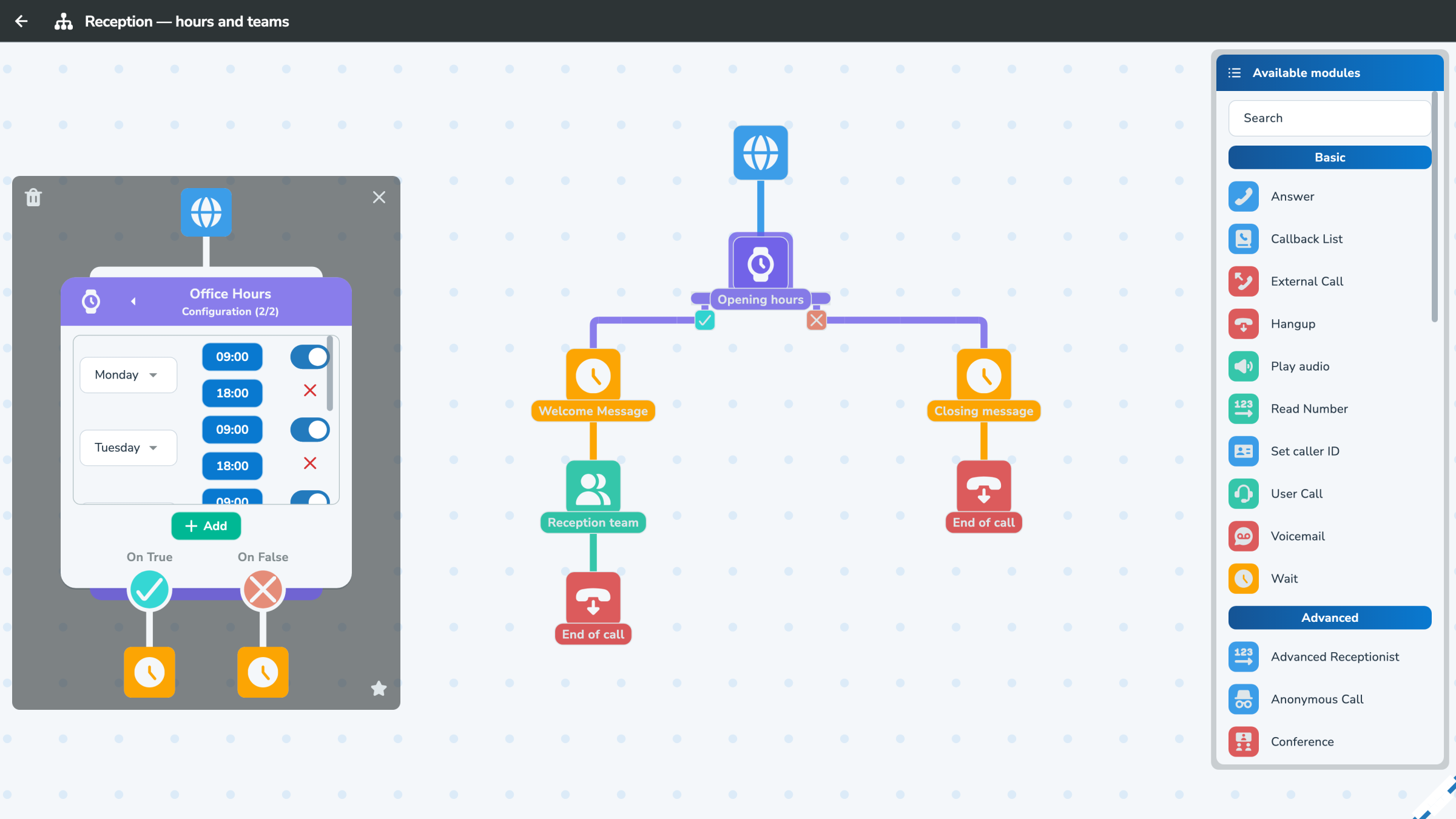
Modules represent each step: business hours, greetings, choices, transfers, voicemail, AI or recording. Connections show exactly how calls move through the flow.

Understand the scenario without browsing configuration files or code.

Add the modules, configure their settings and connect their outputs.

Expose certain modules as favourites to allow safe modifications.
“During business hours, ring the sales team. After twenty seconds, route the call to the on-call team. Outside business hours, offer a callback.”

NatAChat suggests configurations, prepares call flows and helps you adjust your dialplan.
Changes can be read, validated and restored.

Find the right component through the interface categories. Modules can be reused across call flows to suit your business logic, departments and level of automation.
Basic
Answer, wait, play information, call a person, take a message or hang up. These modules provide the essential building blocks for most call flows.
Advanced
Handle calls for teams, queues, conferences or receptionists. These modules support more advanced call flows.
Conditions
Adapt routing to business hours, holidays, call origin, user presence or status, and eSIM status.
Artificial Intelligence
Understand a request, record or transcribe a call, or let an intelligent agent greet callers. AI modules add context-aware actions to the dialplan.
Personal
Include user-specific preferences and services: personal devices, voicemail, status and simultaneous ringing rules.
Programming
Set variables, call another dialplan, run a macro, test conditions, trigger a webhook or add Lua logic.